Sleep Focus
Block Distracting Apps at Bedtime
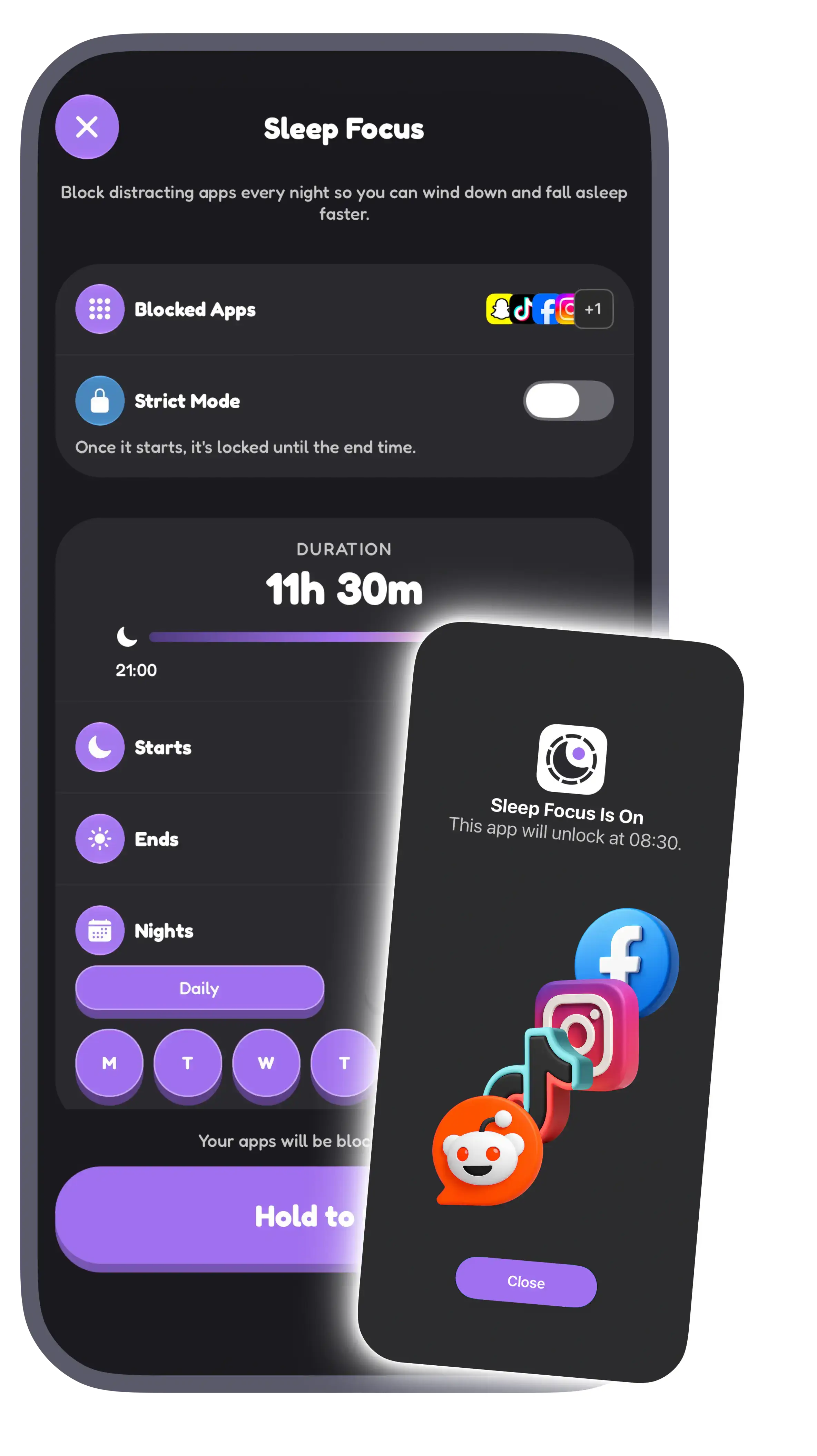
Sleep Focus blocks the apps that keep you scrolling in bed, every night, so you can wind down and fall asleep faster.
How It Works
- 1
Choose your apps
Pick the apps that keep you up: social media, video, games, news, anything you open when you should be asleep.
- 2
Set your bedtime
Choose when blocking starts and ends, and which nights it runs. It starts at your bedtime reminder by default.
- 3
Sleep, then scroll
Your apps stay blocked until morning. Open one and you'll see when it unlocks.
Strict Mode
Turn on Strict Mode and once Sleep Focus starts, your apps stay locked until the end time. You can still add apps or nights, or push the end time later, but you can't turn it off early.
Without Strict Mode, you can turn Sleep Focus off whenever you need to.
Made for winding down
Sleep Focus works alongside your bedtime reminder and sleep sounds. When the reminder comes, your apps are already out of the way, so the only thing left to do is put the phone down and press play on rain or white noise.
Need a break tonight? Start Sleep Focus right away instead of waiting for your schedule.
Pairs with your alarm
Going to bed on time is half of it. FixSleep also wakes you at the end of a sleep cycle and makes you complete a mission, like solving math or scanning a QR code, before the alarm stops.
Questions & Answers
What does Sleep Focus block?
Only the apps you choose. Pick as many or as few as you like, and change the list whenever you want.
Can I turn Sleep Focus off before morning?
Yes, unless Strict Mode is on. With Strict Mode, your apps stay locked until the end time. You can still add apps or nights, or extend the end time.
What happens if I open a blocked app?
You'll see a screen that says Sleep Focus is on and what time the app unlocks.
Can I choose which nights it runs?
Yes. Pick any nights of the week, for example weeknights only, and set the start and end time.
Is Sleep Focus free?
Sleep Focus is a premium feature. FixSleep is free to download, with premium features available via subscription.
Read More
Sleep Better
Download FixSleep
Available now on iOS & Android